

Media Gallery
About the dhimanp QR for Business App
This QR code generator is specially designed for businesses. With this tool, you can create WhatsApp chat QR codes as professional posters in standard standee sizes (4.1x5.8 inches for mini, 5.0x7.0 inches for medium, and 5.8x8.3 inches for standard primary standee).
You can also generate professional QR posters for digital menus for your restaurants or cafés, as well as hotels, using the same standee sizes.
This dhimanp QR for business also supports simple QR code generation for your business events, business profile, a person profile. You can create QR codes for simple text as well as any URL, for example, your business website URL or any other URL.
How It Works?
Follow these simple steps to generate print-ready QR code posters your business counter.
Steps to create a WhatsApp Chat QR poster
- Choose the option “WhatsApp Print QR”
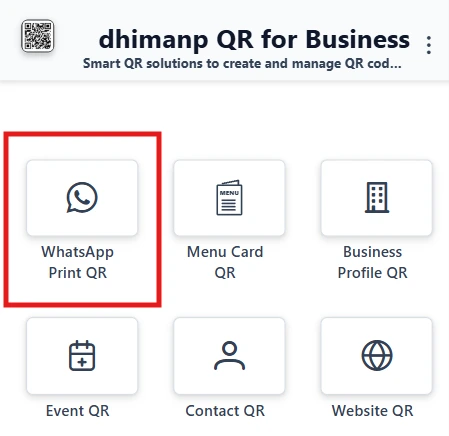
Choosing Whatsapp Print QR option to generate the whatsapp QR Poster. - Select your WhatsApp number region, for example, India.
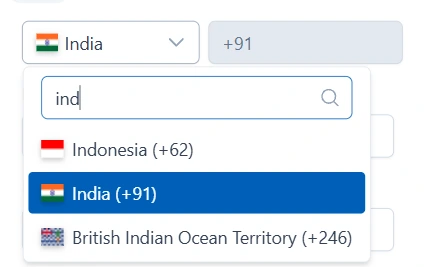
Select the Region for Whatsapp Number. - Now type your WhatsApp number into the phone number field.
- Now enter your business name
- Upload your business logo by clicking on “Select Logo”.
- Enter the custom instruction if you want, according to your requirements.
- Enter the greeting message that saves as customer side draft message for you.
- Now click on the “Create” button to create the QR code.
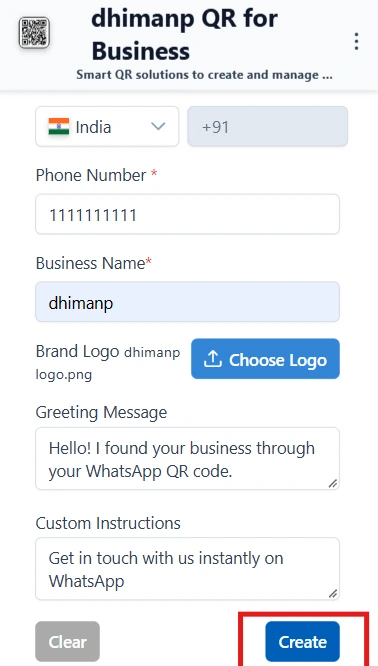
Fill the form for generating the Whatsapp QR Poster. - Now you can adjust the generated QR theme colors according to your business themes.
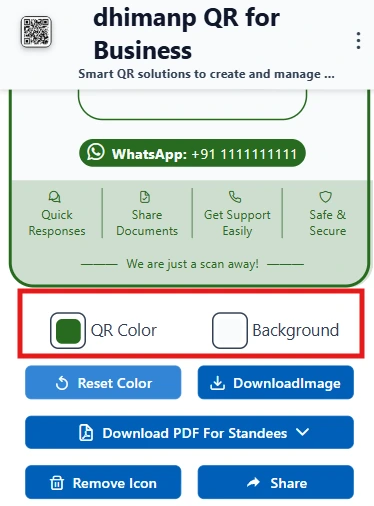
Customize Theme Colors for Whatsapp QR Code. - Now you can export this generated QR code as a PDF for a standee by clicking on “Download as PDF” and choosing the standee format size you want.
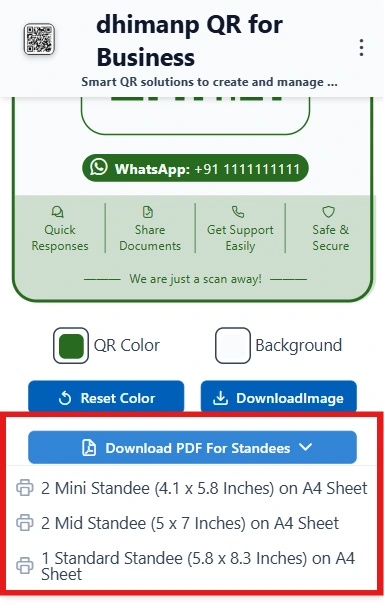
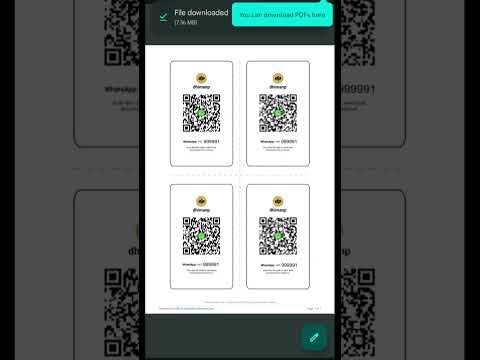
Download Whatsapp QR for Standard Standee Options. - Now your QR Poster is downloaded as a PDF. So, you can print this on hard paper. Cut it according to your needs and attach it where you want.
Steps to generate the Menu Card QR Code as Professional Posters
- Choose the option “Menu Card QR”.
- Now, type your business name into the business name field.
- Now, type or paste your digital menu card URL.
- Attach your business logo by clicking on the Choose Logo button.
- Click on the Create Button.
- Your QR code is Ready. Now adjust the theme colors according to your business if needed.
- Now you can export this generated QR code as a PDF for a standee by clicking on Download as PDF and choosing the standee format size you want.
- Now your QR Poster is downloaded as a PDF. So, you can print this on hard paper. Cut it according to your needs and attach it where you want.
Features of dhimanp QR for Business
- Create WhatsApp Chat QR Poster: With the help of this tool, you can create professional QR Posters for your business WhatsApp chat.
- Create QR poster for Menu Cards: This tool offers to generate beautiful digital menu card QR posters.
- Business Events: You can create your business event information as a QR Code.
- Business Profile or Person Profile QR: This tool supports business Profile and person profile QR codes.
- Support Basic Text or any URL: You can also create QR codes for your business website link or any other URLs or basic text too.
- Ready-made posters save you time.
- Clean and easy user interface and User experience.
- You can directly share the generated QR code with anyone.
What’s New
- You can export the QR codes as standard standee-size posters for your WhatsApp number as well as digital menu cards.
- Supports downloading the QR codes as images, so if you need to edit, then you can easily edit the exported QR code.
- Supports standard A4 size to export the QR code in PDF.
Why use dhimanp QR for business
- Ready-made Standee Sizes: This tool gives you ready-made standard-size standee QR posters that you can attach the posters to your counter standee or service tables, or service areas for digital menu cards and WhatsApp chats for the customers.
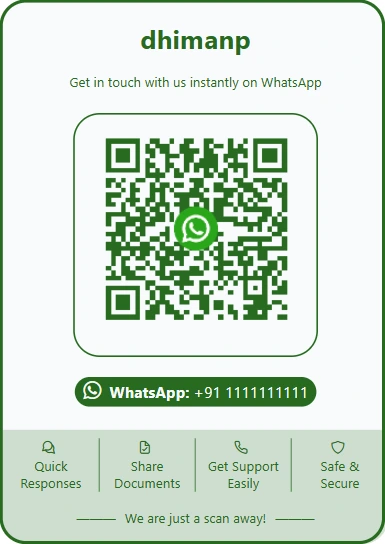
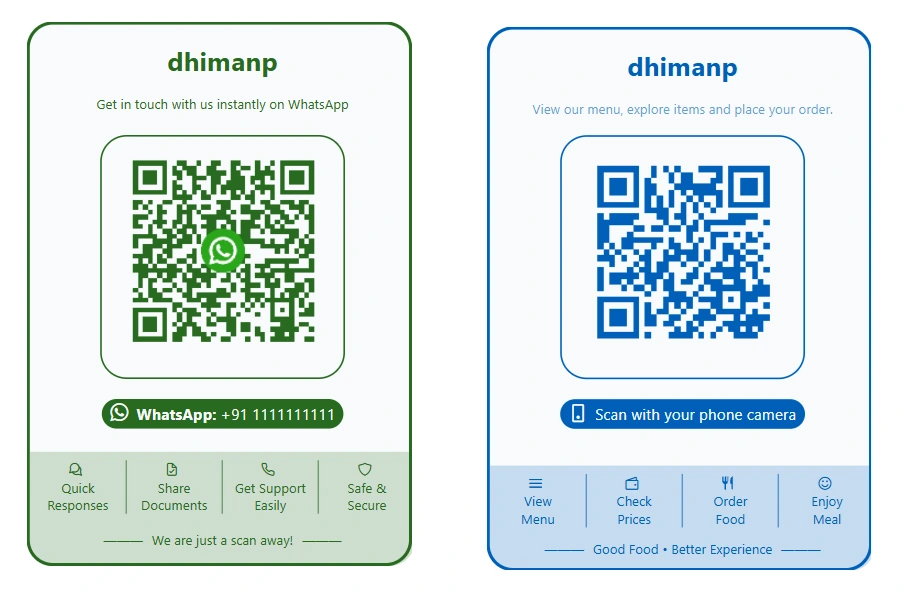
Ready Made WhatsApp Chat QR Poster Preview. - Time Saver: These ready-made QR posters can be created within 15-30 seconds only with your brand logo and theme. So, this tool saves your poster-making or editing time if you use any image editor.
- 100% Scannable QR Codes: In this AI era, everyone can generate very beautiful images as well as posters with the help of AI.
But AI generates random pixel images, so AI can generate QR Codes too, but all the QR code are 95% are not working. But with the help of this dhimanp QR for Business tool, you can generate 100% scannable and working QR codes for your business
- Cost Cutting: If you are running a restaurant, café, hotel, or a Halwai shop, then your menu card maintenance is a very Hard task.
Because within 3-4 months your menu cards are either torn or outdated with new food item rates, you need to print new menu cards every 4-6 months, which direct impact you’re earning.
But with the help of this tool, you can create a professional QR code for your menu card, so your menu card will never be torn or outdated. And if any food item rate changes, then just update your menu card image or PDF once where you have already uploaded your menu card. So, menu card maintenance cost will definitely be cut down to 0.
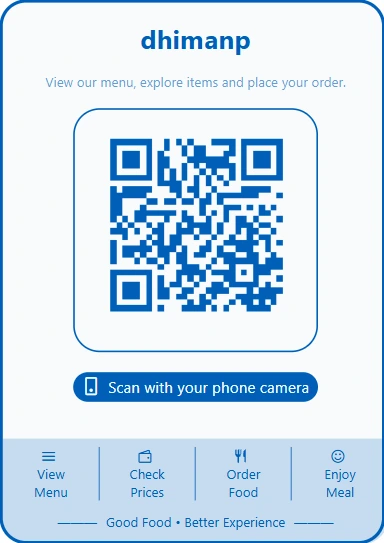
Ready Made Digital Menu Card Poster Preview. - Support the Direct Standee Sizes: this tool provides the standard counter-size standee (4.1x5.8 inches and 5.0x7.0 inches) posters in A4-size sheets. So, you can print these types of posters and attach these posters to the standee.
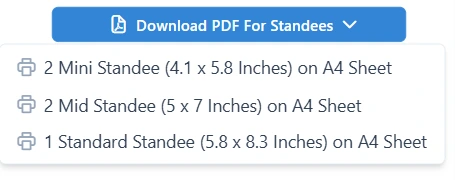
Available Standee Options to export QR poster in A4 Size PDF.
Who is this app for
- Cybercafé shops, Mobile Accessories Shops, printout service providers: if you are providing printout services, then you can create your WhatsApp chat QR code poster and attach it to your shop or counter. So, customers can scan your WhatsApp without asking for your number or getting the wrong number.
- Restaurant, Café, Hotel, Halwai shops: You can create your digital menu cards as beautiful QR code posters and attach these QR codes to service tables so any customer can just scan the QR code and be able to see your menu.
- Anyone who wants to grow business visibility.
Rate this App
Reviews are published after a quick safety check (usually within 24 hours).
Reviews are public. Developers can see basic device specifications to respond. Learn more
Privacy Policy
dhimanp QR does not store or collect your personal data. All inputs are used only to generate QR codes in your browser. We respect your privacy and do not share any data.
Frequently Asked Questions
1. Can I print these QR Posters on A4-size paper?
Yes! You can print any downloaded QR Poster PDF on A4-size paper without rearranging the size of the PDF.
2. Why are AI-generated QRs unreliable compared to dhimanp QR?
AI generates random pixel images that break the pattern for QR codes. That is why 95% of generated QR codes are unscannable. But with the help of dhimanp QR for Business, you can generate ready-made standee-size QR posters with 100% scannable accuracy.
3. What standee sizes are supported in A4 sheet export?
We support the Mini Standee (4.1x5.8 inches), Mid Standee (5.0x7.0 inches), and Standard Primary Standee (5.8x8.3 inches) layouts in the A4 PDF. And if you want other sizes, then you can download the QR Poster as an image and edit and resize this image according to your requirements.
4. Do customers need to save my phone number to send WhatsApp files?
No, scanning the QR opens a direct chat via WhatsApp API with a pre-filled greeting message. So, it saves the customer's time and confusion about whether the correct number was saved or not.
5. How can I create a Menu Card QR if I don't have a website?
No problem! Simply upload your menu card image or PDF to Google Drive, change the link sharing permission to "Anyone with the link", and copy that link. Then, paste it into the "Menu URL" field in our Menu Card QR generator to create your poster.