
A Guide to Effective Digital Organization for Students and Professionals
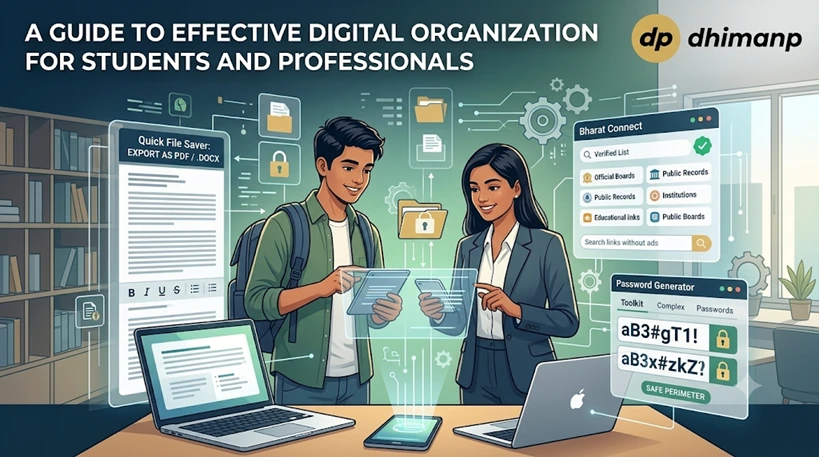
This practical handbook teaches modern students and office workers how to establish an organized, stress-free digital work environment. We explore smart techniques for handling messy reference files, creating secure profiles, and accessing authentic educational resources inside any web browser.
By adopting these clean structure habits, individuals can remove desktop clutter, safeguard vital data, and drastically boost their weekly task speed.
The Foundation of a Tidy Digital Workspace
Many ambitious individuals struggle to maintain an efficient working schedule because their computer desktops are completely buried under hundreds of unnamed files and chaotic text snippets.
When your digital environment is disorganized, you waste valuable mental focus sorting through endless downloads just to locate a single paragraph or link. Establishing a clean system architecture prevents you from feeling overwhelmed and lets you approach your academic studies or corporate projects with deep clarity.
Building an optimal workflow requires selecting direct, single-purpose online utilities that perform tasks immediately without slowing down your operating system's background memory. You can discover an exceptional variety of these lightweight layout engines by visiting the centralized dhimanp software platform network.
Choosing minimal browser assistants helps you eliminate unnecessary program installations, ensuring that your computer hardware continues to run smoothly for several years.
Overcoming Document Formatting and Export Blocks
Students collecting study notes and professionals generating corporate reports frequently copy text strings from various web portals or free AI text assistants.
However, mobile devices often block you from saving custom file formats, and free AI platforms frequently hide their document download options behind expensive premium monthly paywalls. You can easily bypass these annoying device limitations and subscription boundaries by pasting your content into the free dhimanp Quick File Saver canvas .
This friendly web canvas gives you an open, empty workspace where you can freely organize your research notes and text blocks on any device. Once your text is pasted inside the field, you can instantly export and download the content as a native PDF or .docx Word file.
This direct process completely replaces heavy, slow word processors and lets you format your documentation on the go without passing registration hurdles.
Simplifying Access to Institutional Directories
Conducting deep academic research or reviewing state corporate guidelines often forces users to navigate confusing web search results that are filled with misleading ad banners.
For students looking for exam notices and professionals tracking compliance updates, finding authentic entry gates is critical to avoiding malicious internet links. You can safely cut through this chaotic commercial noise by leveraging the clean dhimanp Bharat Connect indexing portal .
This organized platform collects and verifies official educational portals, institutional links, and public records in a clear list that carries zero tracking codes. Having an unpolluted landing page saves you from clicking on dangerous website redirects and speeds up your data gathering process immensely.
Utilizing a clean, trusted link directory ensures that your daily browsing experience remains entirely safe, pleasant, and completely productive.
Securing Academic and Professional Profiles
Maintaining a tidy digital lifestyle also demands that you protect your personal files and corporate accounts from malicious third-party tracking groups. Many people make the dangerous mistake of reusing basic, easily guessed passwords across multiple school portals, banking applications, and social media dashboards.
You can immediately reinforce your digital perimeter and protect your identity files by activating the automated dhimanp Password Generator toolkit . This direct security builder instantly mixes random character strands, digits, and unique punctuation icons to create highly resilient key combinations for your online workspaces.
Because the system produces these airtight combinations on demand, you never have to strain your creative energy trying to invent balanced passwords by yourself. Safeguarding your access keys keeps your sensitive research documents secure and grants you total comfort while operating on public networks.
Best Practices for Long-Term Digital Order
Maintaining your newly organized workspace requires committing to a simple weekly review routine where you clear temporary browser folders and update account keys. You should routinely archive completed project paths and sweep out old clipboard strings to keep your primary operating folders completely unburdened and agile.
Sharing these straightforward management principles with your fellow classmates or business team members creates a highly collaborative, error-free working atmosphere.
Ultimately, achieving mastery over your digital workspace does not require advanced programming knowledge or purchasing heavy corporate office software suites. Utilizing free, registration-free browser resources lets you manage your data rows, download clean documents, and protect your identity files with absolute simplicity.
Taking control of these smart organization habits today will streamline your daily routine and unleash your true creative potential.
Conclusion
In conclusion, mastering your daily digital organization is an achievable goal that immediately rewards you with cleaner workflows and less operational stress. By replacing heavy, invasive local software with fast, zero-registration web tools, you protect both your hardware health and personal credentials from online vulnerabilities.
Take a meaningful step toward an optimized lifestyle today by integrating these lightweight applications into your regular studying and working routine.