
Step-by-Step Guide: How to Calculate GST and Generate Online Tax Challans
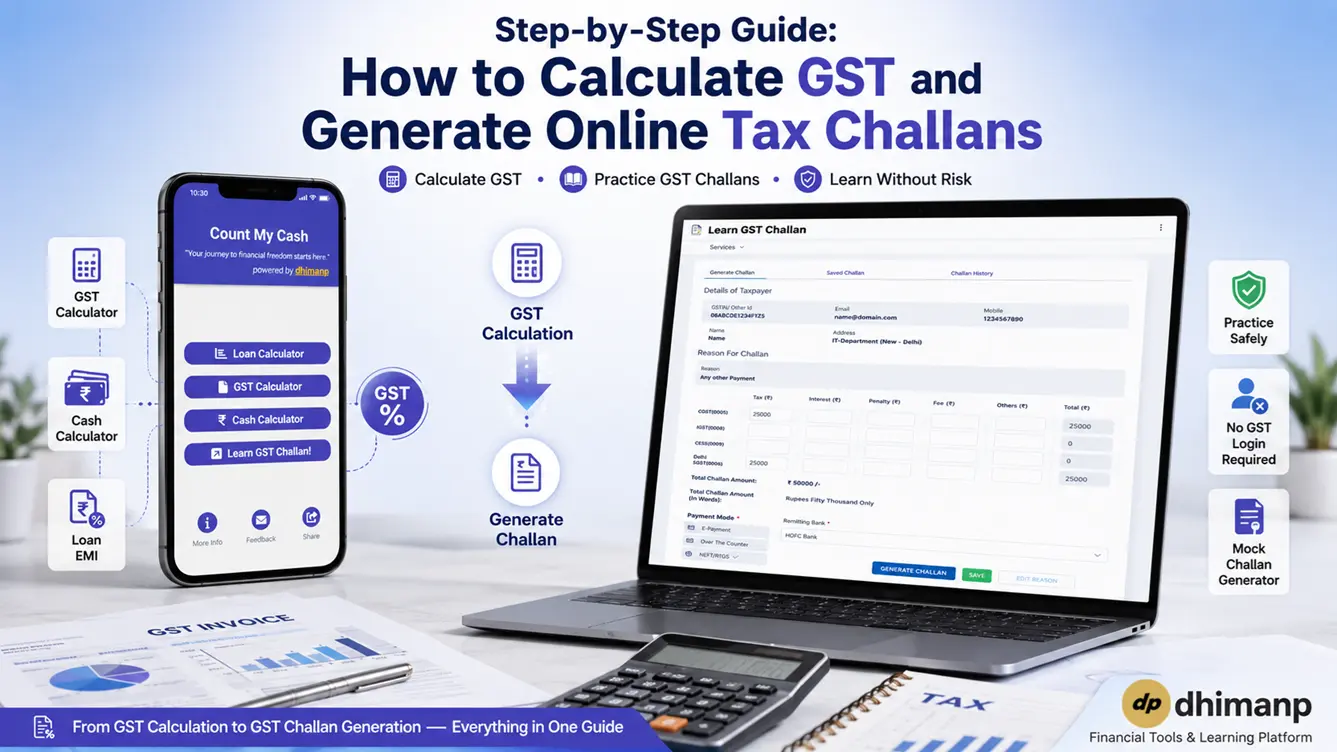
It's important to manage your taxes properly if you are a small-scale business owner, freelancer, tax professional, or GST course learner. GST calculations, components (such as CGST, SGST, and IGST), and tax payments and online challan creation can be complex.
With the recent tax changes for FY 2026-2027, along with GST slabs (including 0%, 5%, 18%, 40%, 0.25%, and 3%), there needs to be an effective calculation tool or platform for practice purposes.
The following steps will guide you on how to calculate GST, perform financial calculations such as cash counting and EMI schedules, and create GST challans online.
GST Calculation for FY 2026-2027
In order to calculate GST in a proper way, it is important that you get to know whether the transaction price is exclusive or inclusive.
Key GST Calculation Formulas
- Exclusive GST (Adding GST to Base Price):


- Inclusive GST (Extracting GST from Total Price):

- CGST & SGST Split (Intra-state sales):

Utilizing the Mobile GST & Financial Utility App
Instead of doing manual tax calculations, the Count My Cash mobile app for Android makes it easy with built-in GST rate calculations for FY 2026-2027, custom tax rates, a loan EMI calculator, and cash counters.
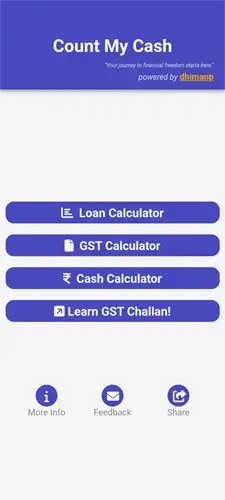
Feature 1: GST Calculator (Built-in & Custom Rates)
- First of all, Install the Count My Cash Application from the Google Play Store.
- Now, click on the “GST Calculator” button in the app.
- Enter your invoice amount (e.g., ₹50,000 or ₹25,000,000).
- Select from default rates (0%, 0.25%, 3%, 5%, 18%, 40%) or tap the “+ Rate” button to enter a custom tax percentage (e.g., 28% or 50%).
- Expand “Advanced Options” to select tax mode (Exclusive vs. Inclusive).
- The app breaks down the total into CGST, SGST, and Final Amount instantly.
Feature 2: Cash Calculator (Physical Currency Denominations)
If you are a retail shop owner or a cashier and do daily cash drawer reconciliation:
- Open the Cash Calculator by clicking on the “Cash Calculator” button.
- Enter the bill counts for each Indian currency note: ₹500, ₹200, ₹100, ₹50, ₹20, ₹10, ₹5, ₹2, ₹1.
- Now the app calculates the total automatically and writes out the complete sum in digits and words (e.g., "Thirteen Lakh Fifty Thousand Two Hundred and Seventy-Five rupees only").
Feature 3: Loan EMI Calculator with Excel Export
- Select Loan Calculator.
- Enter your Loan Amount (e.g., ₹10,000,000), Interest Rate % (e.g., 15.00%), and Tenure in Years/Months.
- Click on See Schedule to view a monthly breakdown showing exact Principal, Interest, Monthly EMI (₹90,258), and Remaining Balance.
- Click on Share As Excel (.xlsx) to export and save your repayment schedule.
How to Create and Practice Online GST Challans
The GST Challan (GST PMT-06) is the document that is generated from the official GST Portal for paying taxes to the government. And the heigh level steps are mentioned below to generate the GST Challan.
- Open the official GST Portal home page .
- Now click on “Create Challan” present in “Services > Payment”.
- Choose the “Reason for challan” and click on the “Proceed” button.
- Now enter the challan details, such as the amount in the input boxes Tax, Interest, Penalty, Fees, and Other for the CGST, IGST, CESS, and SGST.
- Now choose your payment mode and click on the “Generate” button to generate the challan.
Now you know how to generate the GST challan on the official GST website, but on the official website, everything is an official government record, so you cannot practice directly on the government portal, and there are highly chances that you do not have any GSTIN or an account. That is why we built a Learn GST Challan online simulator. Our tool helps you to practice GST challans with 0% payment risk and without any account.
Learn GST Challan simulator is specially designed for a learner, an accounting student, a taxpayer or a fresher/intern, or a professional who needs to practice the process of generating challans without actually doing any bank transactions.
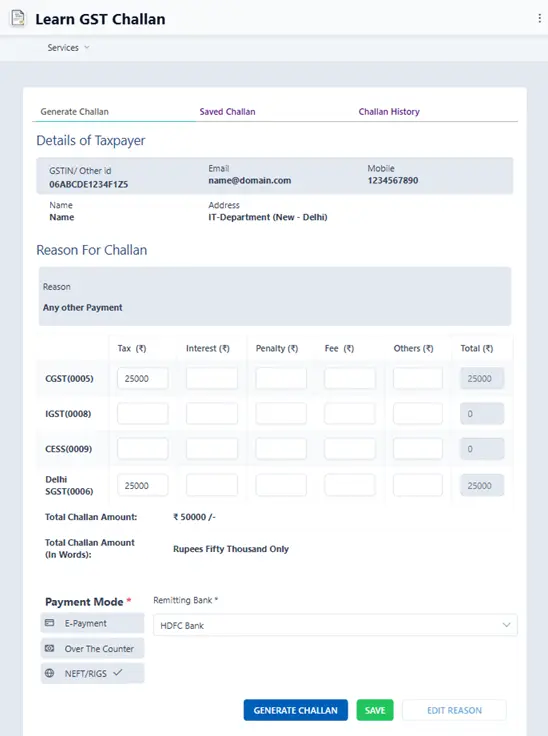
Step-by-Step Challan Simulation Guide
- Step 1: Open Learn GST Challan: Open the “Learn GST Challan” simulator in your browser.
- Step 2: Select Reason for Payment: Choose the Reason for Challan as “Other” and click on the “Proceed” button.
- Step 3: Fill Major and Minor Tax Heads: Enter the specific amounts across tax categories:
Major Heads: CGST, IGST, CESS, and state-specific SGST (e.g., Delhi SGST).
Minor Heads: Split liabilities into Tax, Interest, Penalty, Fee, or Others.
Example: In case the tax payable is ₹5,000 CGST and ₹5,000 SGST, 5000 should be entered against Tax in both the CGST row and SGST row. Total challan amount (₹10,000/-) is automatically calculated by the simulator and written in words as Rupees Ten Thousand Only.
- Step 4: Choose Payment Mode: Select your preferred payment channel:
E-Payment: Net banking, Debit/Credit Card, or UPI.
Over the Counter (OTC): Cash, Cheque, or DD (for amounts up to ₹10,000 per challan per tax period).
NEFT/RTGS: Direct bank transfer via RBI clearing.
- Step 5: Save and Review History: Click Generate Challan to generate a mock CPIN (Common Portal Identification Number).
Use the Save button to store draft entries under Saved Challan, or review past practice attempts in the Challan History tab.
Watch the video for a quick demo on how to practice GST Challan with the Learn GST Challan Simulator Tool.
GST Best Practices for Tax Filings
1. Verify State Codes: Make sure that your supply is either an Intra-state supply (CGST+SGST) or an Inter-state supply (IGST) before entering values in the heads of payment.
2. Check Interest and Late Fees: When making payments after the last date (18th or 20th of the following month), make sure that late fees and 18% interest per annum are calculated in the right minor heads.
3. Practice Before Filing: Get ready with practice tools such as GST Challan Simulator to become familiar with the GST challan process.
Frequently Asked Questions (FAQ)
GST Calculations & Challan Practice
1. How do I calculate Exclusive vs Inclusive GST?
For Exclusive GST, multiply the base amount by the GST rate percentage and add it to the base. For Inclusive GST, extract the tax component using the formula: Total Amount - (Total Amount / (1 + (GST Rate / 100))).
2. Does the GST Calculator app support Financial Year 2026-2027 tax slabs?
Yes, the Count My Cash app comes pre-configured with default tax slabs (0%, 0.25%, 3%, 5%, 18%, and 40%) for FY 2026-2027, and lets you add custom rates like 28% or 50% seamlessly.
3. What is the Learn GST Challan Simulator used for?
The GST Challan Simulator is an educational web tool that lets students, tax practitioners, and business owners practice filling out Major/Minor tax heads and generating GST PMT-06 payment challans without transferring real money.
4. What other utilities are included in the Count My Cash mobile app?
In addition to the GST Calculator, the app includes a Cash Denomination Calculator for physical currency tallying and a Loan EMI Calculator complete with payment schedule export in Excel (.xlsx) format.